New in H2R Gear v2.13
Draw the room around your gear with new shapes, symbols and a drawing toolbar.
Read more →New in H2R Gear v2.13
Draw the room around your gear with new shapes, symbols and a drawing toolbar.
Read more →By John Barker • 22 September 2026
An input list (sometimes called a channel list) is a table of every audio source on stage and the mixer channel it plugs into. Kick drum on channel 1, snare on channel 2, and so on down to the last playback track.
If the stage plot shows where everything is, the input list shows how it connects. Together they let a venue’s crew patch your whole stage before you load in, which means line check takes minutes instead of an hour.
Keep it to what the engineer needs to patch and mic the stage:
Here is a typical five-piece band:
| Ch | Source | Mic / DI | Stand | 48V |
|---|---|---|---|---|
| 1 | Kick in | Beta 91A | none | yes |
| 2 | Kick out | Beta 52 | short | |
| 3 | Snare top | SM57 | clip | |
| 4 | Hi-hat | Condenser | short | yes |
| 5 | Rack tom | e604 | clip | |
| 6 | Floor tom | e604 | clip | |
| 7 | OH L | Condenser | tall | yes |
| 8 | OH R | Condenser | tall | yes |
| 9 | Bass DI | DI | none | |
| 10 | Gtr amp | SM57 | short | |
| 11 | Keys L | DI | none | |
| 12 | Keys R | DI | none | |
| 13 | Lead vox | SM58 | tall | |
| 14 | BV gtr | SM58 | tall | |
| 15 | BV keys | SM58 | tall | |
| 16 | Spare | |||
| 17 | Playback L | DI | none | |
| 18 | Playback R | DI | none |
If you bring in-ears or need specific monitor mixes, add a short output list underneath: mix number, who it is for, wedge or in-ear, and mono or stereo. Number wedges on the stage plot to match.
The most common input list problem is that it drifts out of date. The stage plot was updated for the new keys player but the input list still says acoustic guitar on channel 11.
Building both in one place helps. In H2R Gear you can:
Change a connection on the plan and the patch list changes with it.
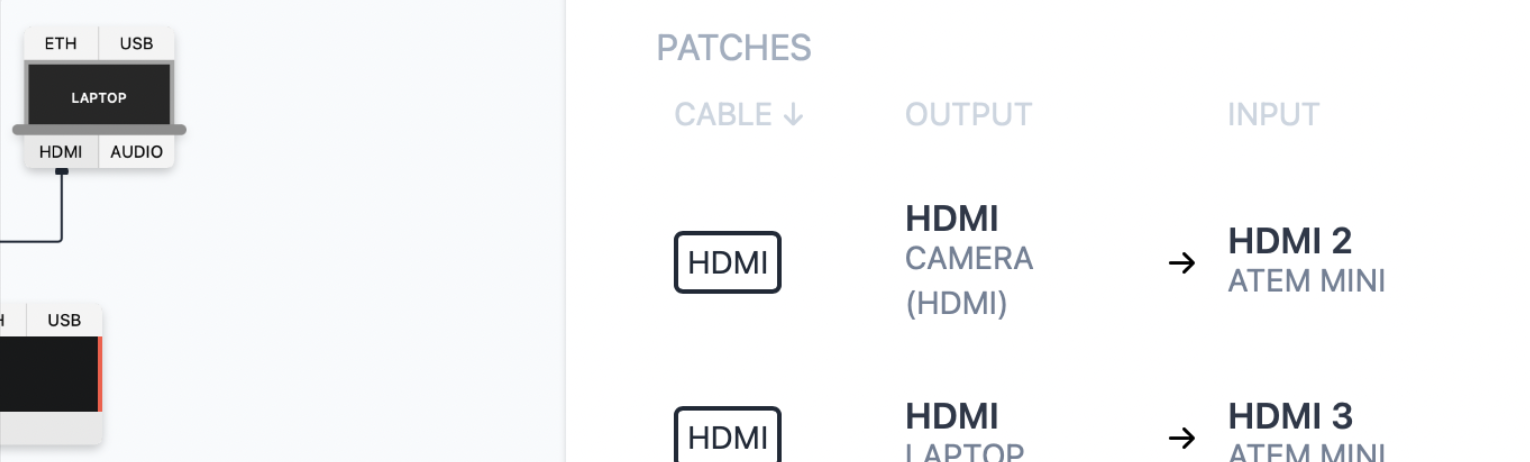
Send it with your stage plot as part of your technical rider.
Ready to get organised?
Start using H2R Gear to plan your next setup.
Get H2R Gear product updates
New features, templates and tips, straight to your inbox.
No spam. Unsubscribe any time.