New in H2R Gear v2.13
Draw the room around your gear with new shapes, symbols and a drawing toolbar.
Read more →New in H2R Gear v2.13
Draw the room around your gear with new shapes, symbols and a drawing toolbar.
Read more →Use case
Document your sanctuary system once, share it with every volunteer, and make Sunday load-in predictable. H2R Gear turns your church AV setup into a diagram, a packlist and a patch list your whole team can read.
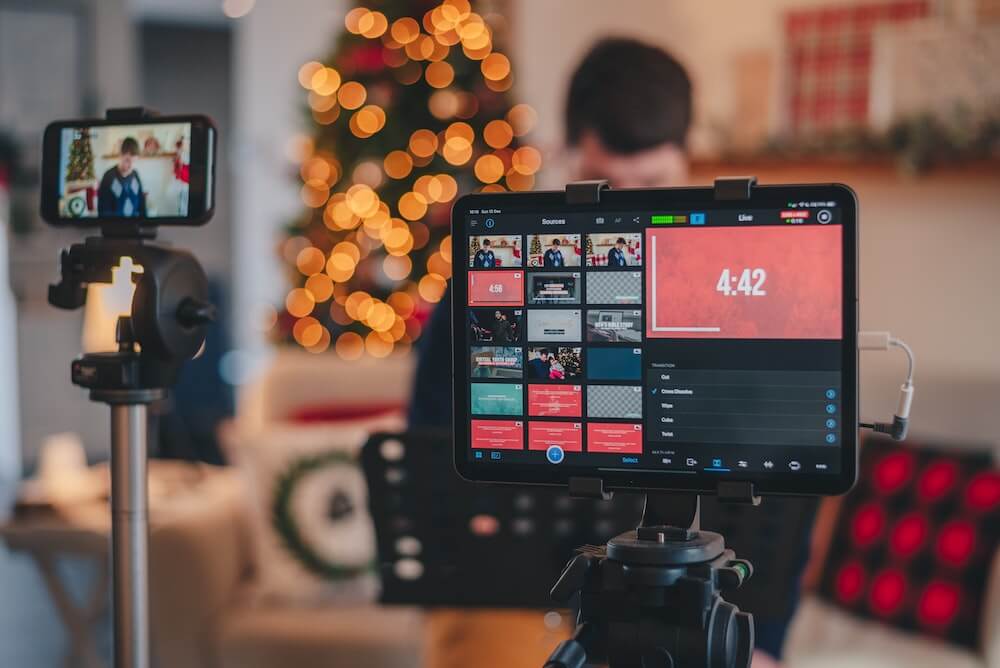
Church tech teams run a production every week, often with more gear than a small conference, and mostly with volunteers. The system grows over years: a camera donated here, a new console there, a stream added in a hurry. The knowledge of how it all connects tends to live in one or two people's heads.
A different person runs cameras or the stream most weeks. Each one needs to know how the system fits together without a two-hour training session.
The booth was wired by someone who has since moved on. Nobody is quite sure which tie line goes where, or why that converter is behind the rack.
Baptisms, guest bands, kids' services and Christmas productions all move mics, cameras and inputs. The setup on Sunday is rarely the setup from last Sunday.
Good volunteer documentation is visual, short and current. A ten-page manual goes unread. A clear diagram showing that Camera 2 goes into SDI 2 on the switcher, and that the stream mix comes from aux 7 and 8 on the console, gets used every week.
In H2R Gear you draw the system with real gear from the community library. If your exact camera or converter is not there, build it in the gear builder with the right inputs and outputs. Then drag cables from outputs to inputs. Cables only connect to compatible ports, which catches mistakes like plugging SDI into an HDMI input before anyone buys a cable. Add text labels for things like camera presets, IP addresses or "do not turn off this switch".
Once the plan exists, share it. On Pro, Team or the 30-Day Pass, a Private + Link plan gives anyone with the link a read-only view they can pan and zoom, with no account needed. Drop the link in the volunteer group chat and everyone sees the latest version, not a photo of a whiteboard from 2022. Read more in the sharing docs.
All plans
Place your cameras, switcher, console, stage box and projectors from the community library, then drag cables between real inputs and outputs.
All plans
Label each cable (V01, A12) and add its length. Both show on the diagram, so a volunteer can trace a fault from the camera to the switcher input.
All plans
Meeting in a school or a hired hall? The packlist builds from your plan. Tick items off at load-in and pack-down, add extras like gaffer tape and batteries.
Pro
Share a plan with Private + Link and anyone with the link can view it, pan and zoom, without an account. Perfect for a volunteer group chat.
Pro
Export a vector PDF, PNG or JPG of the diagram, with the cable legend and an information bar, and pin it inside the rack door.
Pro
Draw coloured zones for the platform, FOH, the stream desk and the equipment room, so the diagram matches the building.
Pro
Every cable in one table: type, label, length, from item and output, to item and input. Export it to CSV for the permanent install record.
Team plans
Staff and lead volunteers share plans and a team gear library. Team members do not pay for their own account and get Pro features.
For a fixed system, build one plan that describes the building. Use zones (Pro) for the platform, the booth, the equipment room and the overflow room, so the diagram reads like a map. Label every cable with an ID and a length. The patch list (Pro) then lists every cable in one table, which you can export to CSV and keep with the building records. When a contractor adds a new projector, update the plan and everyone sees the change.
Keep a separate plan for the weekly stream if it changes more often, and archive old versions rather than deleting them. Archived plans do not count towards your active plan limit.
If your church sets up in a school hall or cinema every week, the packlist is the feature you will use most. It is generated automatically from your plan: every gear item and every cable, grouped and counted. Add extras for the things that are not on the diagram (tape, batteries, the welcome table banner). Tick items off at load-in, and again at pack-down so nothing stays behind. Progress shows on the plan card so the team lead can see how far along the pack is. The packlist is on every plan, including the Free plan.
For special services, duplicate your standard plan and edit the copy. Add the extra mics for a guest band or the camera for a baptism, and the packlist and cable counts update with it. Give each plan its event dates in plan info, and use the Upcoming and Past tabs in your plans list to find this week's service quickly.
You can start on the Free plan: two active plans, the community library, gear, cables, labels and the packlist. Most church teams move to Pro at $150 per year for read-only share links and PDF export, which is what makes volunteer documentation work, plus zones, the patch list and projects for install records. For a staff team, Team at $250 per year includes three team members who share plans and a team gear library. Setting up for one special service? The 30-Day Pass gives every Pro feature for a one-time $19. See full details on the pricing page.
Not sure where to begin? The church live stream setup diagram shows a typical worship stream with PTZ cameras, a switcher, a lyrics computer and a stream mix from the console, with a patch list and packlist you can download. For the bigger picture on gear and running a stream each week, read live streaming a church service.
H2R Gear has a Free plan with two active plans, the community gear library, cables, text labels and the packlist. That is enough to document a small church system and a portable setup at no cost.
Yes. On Pro, Team or the 30-Day Pass, set a plan to Private + Link and share the link. Anyone with it gets a read-only view they can pan and zoom, with no sign-in.
H2R Gear runs in a web browser, so there is nothing to install on the booth computer. It needs an internet connection; brief drops are fine and changes save when you reconnect.
The Free plan costs nothing. Pro is $150 per year and adds sharing, export, zones, the patch list and projects. Team is $250 per year with three team members included. For a single event, the 30-Day Pass gives every Pro feature for a one-time $19.
Ready to get organised?
Start using H2R Gear to plan your next setup.
Get H2R Gear product updates
New features, templates and tips, straight to your inbox.
No spam. Unsubscribe any time.