New in H2R Gear v2.13
Draw the room around your gear with new shapes, symbols and a drawing toolbar.
Read more →New in H2R Gear v2.13
Draw the room around your gear with new shapes, symbols and a drawing toolbar.
Read more →By John Barker • 26 February 2026
A two-camera stream looks simple on paper. One wide, one close, switch between them. Add a third camera for a stage shot, a laptop for slides, a confidence monitor for the speaker, an audio feed from the desk, and suddenly there are nine cables, three power supplies, two converters and an HDMI extender involved.
This is the moment most home setups fall apart. Not the cameras, not the switcher, but the wiring and the packlist around it.
Here is the workflow we use to plan a multi-cam stream so the show day is boring in the best possible way.
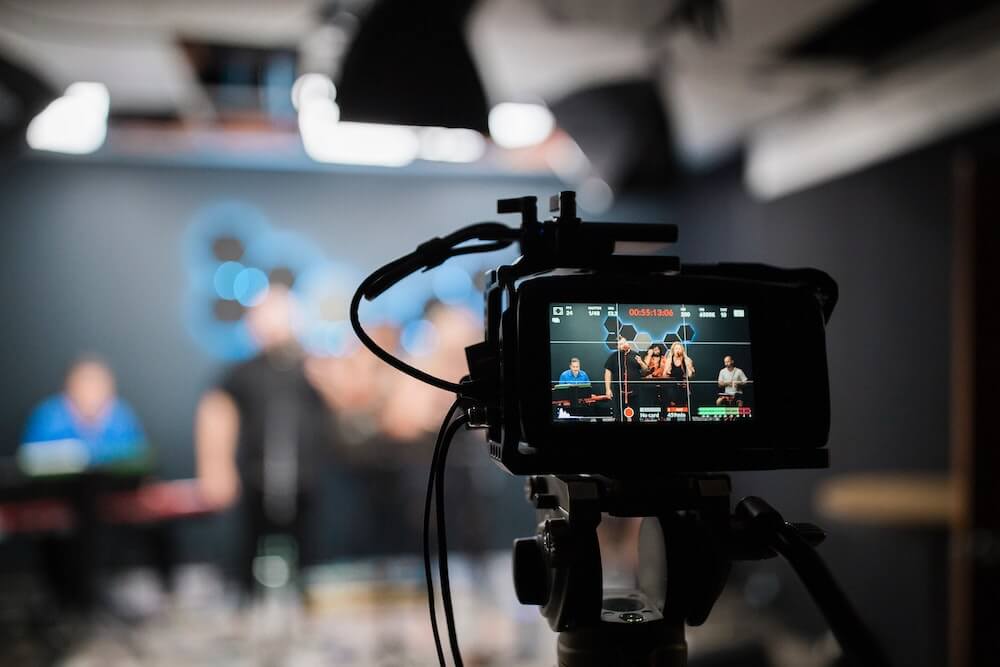
Before touching any gear, write down what every camera in the show is responsible for. Two cameras can usually carry a small panel discussion. Three opens up wide, medium and close. Four lets you cover a stage from front and side at the same time.
For a typical small production the roles tend to be:
If a camera does not have a clear job, leave it at home. Adding cameras “just in case” is how you end up with a switcher full of feeds the director never cuts to.
For most small to mid-sized productions, a Blackmagic ATEM Mini or ATEM Mini Pro covers the job for very reasonable money. Four HDMI inputs, USB out as a webcam to your encoder, and built-in audio mixing.
If you are running longer cable runs or broadcast cameras, step up to SDI on something like the ATEM SDI or a Roland V-series. If you have a venue full of PTZ cameras and need flexible routing, NDI on a software switcher like vMix may be a better fit.
The right switcher is the one that takes the signals your cameras put out, with a couple of spare inputs for the laptop and the playback machine.
Now draw it. Every camera, every cable, every converter, every power supply.
This is the step that catches the things that bite you on the day. The mirrorless camera that needs a dummy battery for long shoots. The HDMI run that is 40 feet and needs an active extender. The laptop with only USB-C that needs an adapter. The audio split that the venue insists on going through their desk.
A wiring diagram lets you spot all of this before you leave the office, rather than at 8am on site with the doors opening at 9.
Audio is what makes a stream feel professional, and it is the first thing the audience notices when it goes wrong. Pick one of three approaches:
Whichever you pick, run a separate recording of the audio as a backup. A handheld recorder under the desk has saved more than one show.
Once the diagram is done, the packlist falls out of it for free. Every camera, cable, converter and power supply on the plan ends up in the case.
This is exactly the gap H2R Gear is built to fill. Drop your gear on a plan, wire it up, and the packlist mirrors it automatically. Add the things that are not on the plan, like gaffer tape, batteries and a spare laptop charger, into the Extras section.
The thing nobody packs enough of is adapters. HDMI to mini-HDMI, USB-C to HDMI, XLR to TRS, BNC to RCA. Throw a pouch of every adapter you own into the case. They weigh nothing and they save shows.
Build the entire rig in your office or workshop the day before. Power everything on, plug everything in, and run it for an hour. You will find at least one cable that is dead, one converter that needs a firmware update, and one camera setting that needs changing.
This is the difference between a stream that just works and a stream that almost works. The former is a quiet morning of setup. The latter is two hours of frantic substitution while the producer paces behind you.
On the day, give yourself twice as long for load-in as you think you need. Label the upstage end of every cable with what it is and where it goes. When something goes wrong mid-show (something always does), the labels are what let you fix it in 30 seconds rather than three minutes.
Multi-cam is one of those jobs where 90% of the work happens before you get on site. A solid wiring diagram, a packlist that matches it, and a rehearsal under your belt mean the show itself becomes the easy part.
If you are about to plan your first or fiftieth multi-cam stream, building it out in H2R Gear first will save you cables, time and at least one trip back to the office mid-load-in.
For more on how plans and packlists work together, see the live streamers use case.
Ready to get organised?
Start using H2R Gear to plan your next setup.
Get H2R Gear product updates
New features, templates and tips, straight to your inbox.
No spam. Unsubscribe any time.