New in H2R Gear v2.13
Draw the room around your gear with new shapes, symbols and a drawing toolbar.
Read more →New in H2R Gear v2.13
Draw the room around your gear with new shapes, symbols and a drawing toolbar.
Read more →By John Barker • 28 November 2022
As always, we’ve been hard at work on some nice new fixes and features.
Pro and Team subscription required
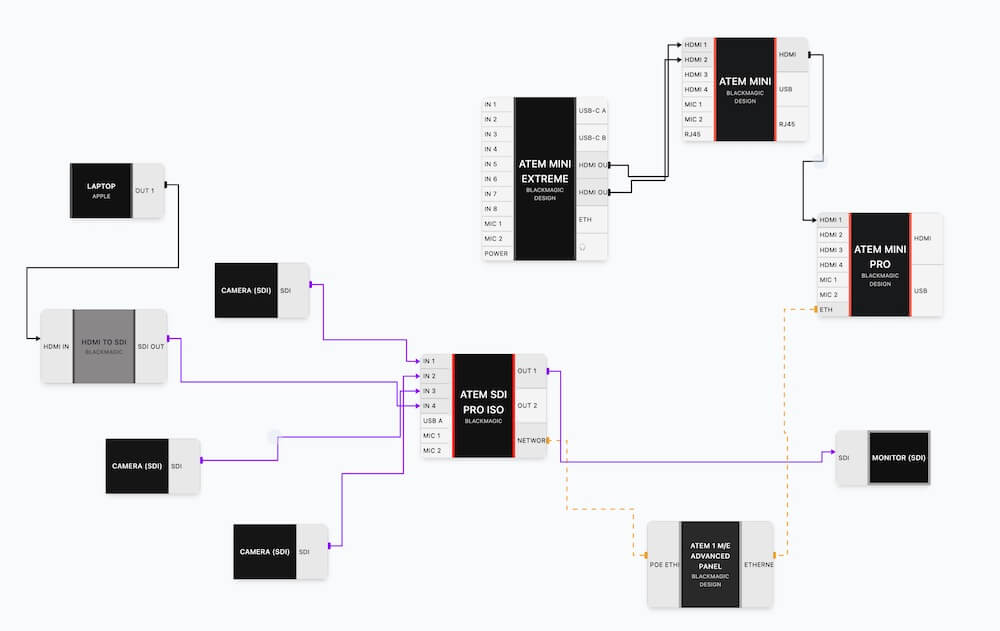
Now you can visualise your setups in left-to-right mode - which has been a much-requested feature for H2R Gear.
With the press of a button, you can now flip the gear items and do a little bit of clean-up to get things looking right.
When you load a plan, it now makes a subtle change to the URL to help you find your plan later.
For example, if you have named your plan ‘ATEM Mini Setup’ you’ll see…
app.h2rgear.com/plans/<plan_id> -> app.h2rgear.com/plans/<plan_id>?ATEM-Mini-setup
This simple new addition means you can search in your browsers URL for ‘h2r gear atem mini’ and your history will suggest the gear plan!
Team subscribers can now share their plans outside their team accounts in read-only mode.
This way you can still share your plan with a non-team member and they will still be able to open it up.
Ready to get organised?
Start using H2R Gear to plan your next setup.
Get H2R Gear product updates
New features, templates and tips, straight to your inbox.
No spam. Unsubscribe any time.