New in H2R Gear v2.13
Draw the room around your gear with new shapes, symbols and a drawing toolbar.
Read more →New in H2R Gear v2.13
Draw the room around your gear with new shapes, symbols and a drawing toolbar.
Read more →By John Barker • 9 August 2022
H2R Gear has a load of new features ready for you to get your hands on. These have been a long time coming, so be sure to read on about each one.
We’ve added some great improvements to the look of gear plans for easier navigation.
You’ll notice a new top bar with the gear plan name and a place to see all the shortcuts added to H2R Gear - more on that later.
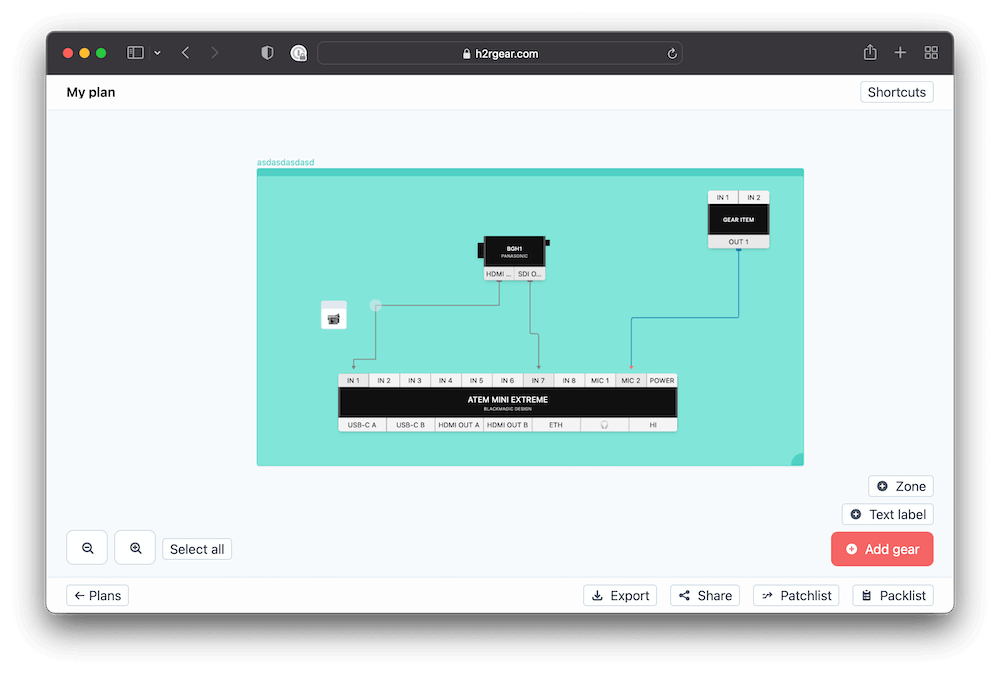
The bottom bar has also been re-worked for easier navigation and clarity about what is an overlay, versus buttons used to add gear, zones and labels.
A long-time debate between many of us in the H2R Gear community is the use of arrows on bi-directional cables and if they may appear confusing.
For instance, a network (or ethernet) cable does not send data in one direction, however the previous versions of H2R Gear might have made you believe that to be true.
Well… no longer - Now, a set of network cables look like this.
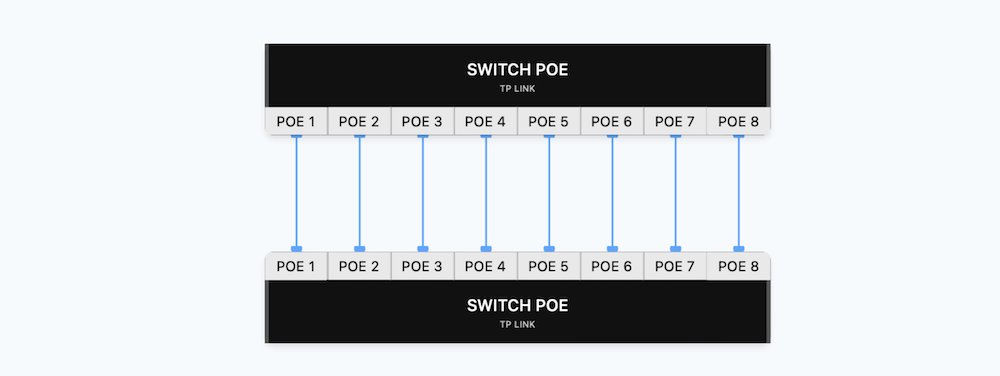
Notice that both ends of the cables now have markers, rather than arrows, which should clear this up!
With this version comes a new editor on the gear plan. Right-click and editing a gear item will launch this new builder allowing you to make changes to an item.
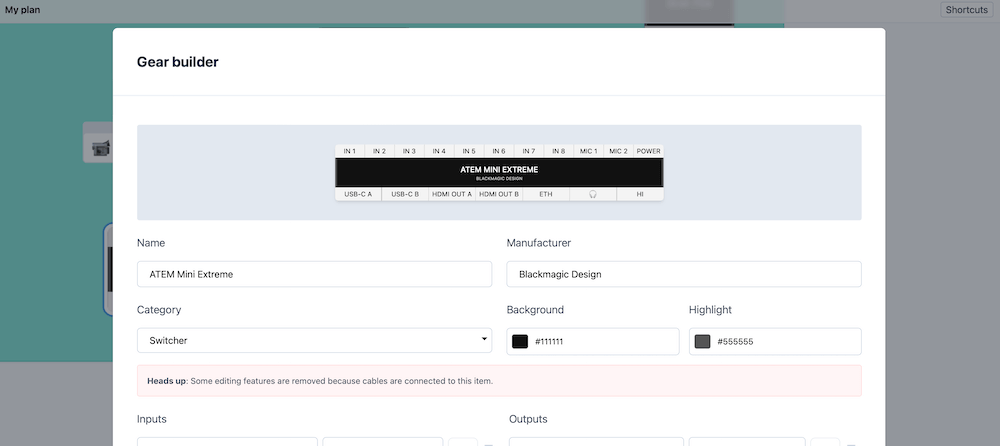
Heads up though, if you have made some connections already to this item then some of the editing capabilities have been restricted. This will avoid any cable mis-matches when you save the changes on this window.
When adding a gear item to your plan, you can now build one instead.
Opening the “Add gear” window will show a new “Quick builder” tab where you can throw together a quick item just for that plan.
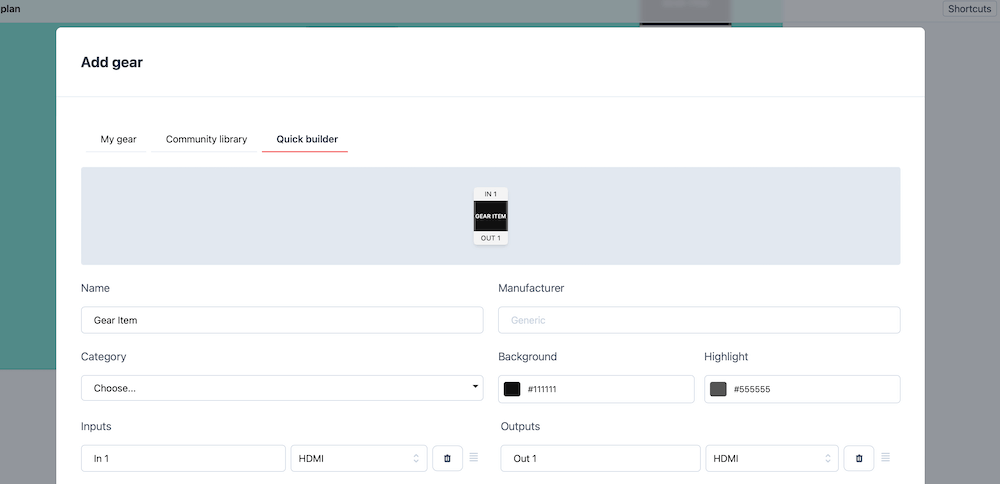
This is perfect when you are in a rush and don’t want to go searching through the community library for a simple item.
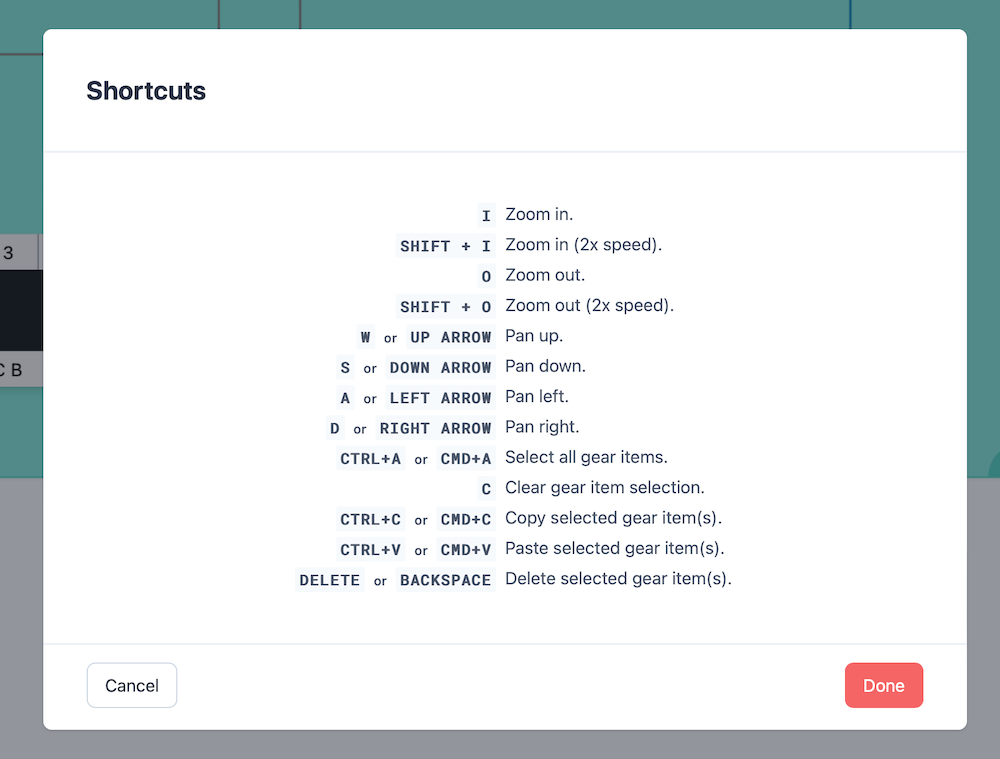
The gear plan now has loads of keyboard shortcuts added for quick navigation and manipulation of the plan.
Use your arrow keys to pan around, classic combos for copy/paste and more…
We’ve also made lots of a little changes too:
Read the full breakdown on our changelog here.
Ready to get organised?
Start using H2R Gear to plan your next setup.
Get H2R Gear product updates
New features, templates and tips, straight to your inbox.
No spam. Unsubscribe any time.